 Tasks 'n Timers
Pick a task. Start the timer.
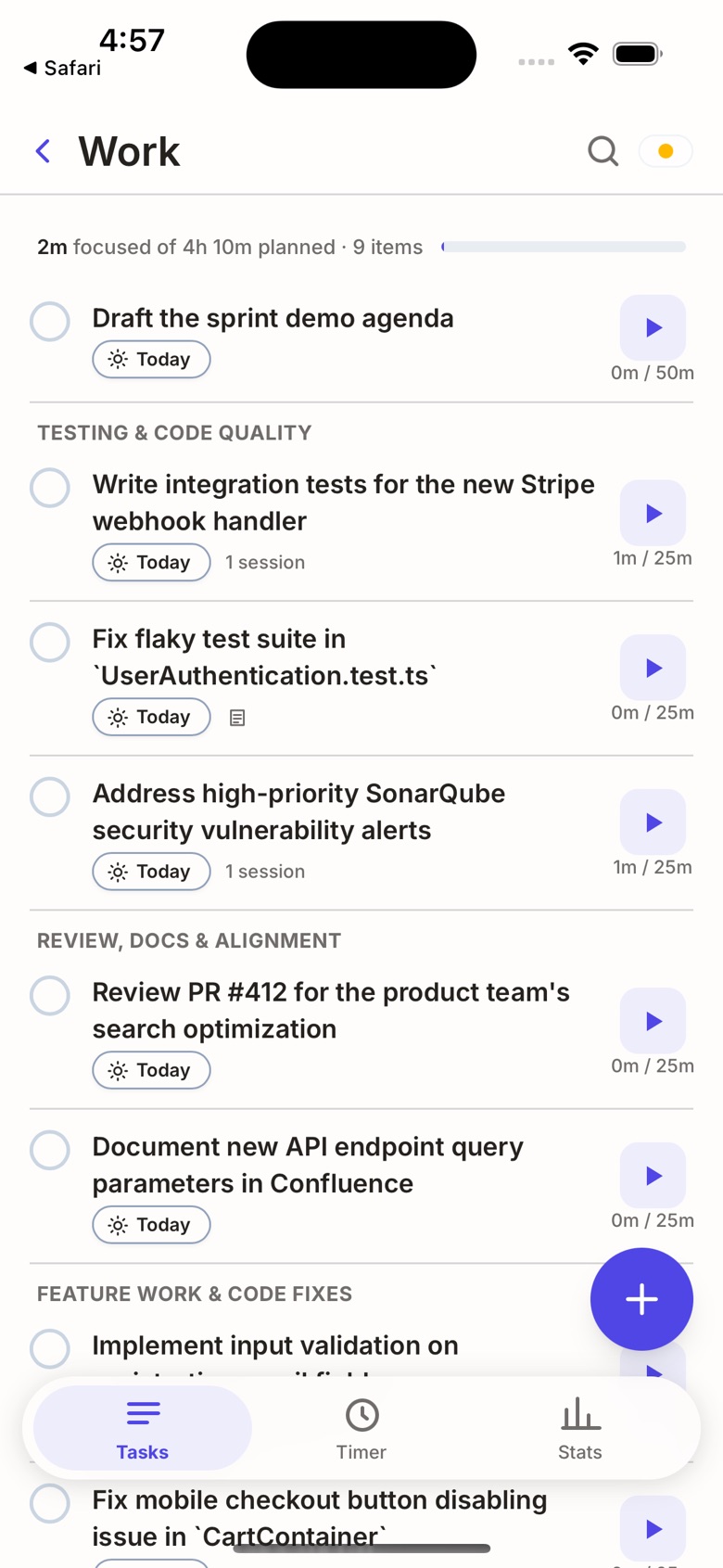
A focus timer on the list you already keep: Google Tasks, Todoist, or one kept on your iPhone.
 iPhone · Free, with Pro from $0.99 a month
Today
0m focused of 2h 30m planned- 0m / 50m
- 0m / 50m
- 0m / 25m
- 0m / 25m
Try it with your own tasks. Nothing is saved and nothing connects; in the app, your lists come from Google Tasks, Todoist or your iPhone.
Your lists, already here.
Connect Google Tasks or Todoist and every task gets a play button. What you check off here is checked off there too.
No account? Keep your lists on your iPhone instead.
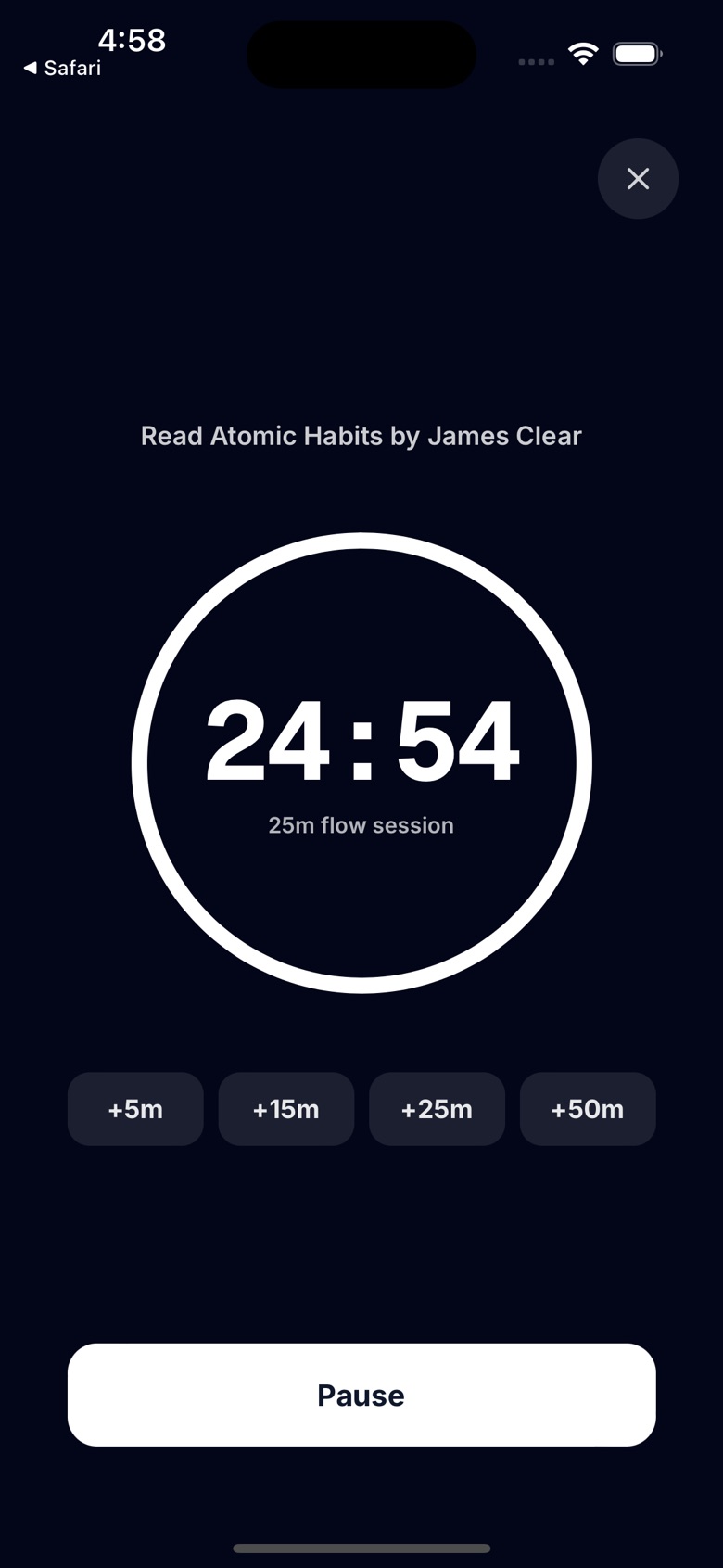
On a roll? Keep going.
When the time runs out mid-thought, add a few more minutes instead of stopping. No forced breaks. Take one when you're ready.
Zen mode hides everything but the task and the time.
Know how long it'll take.
Type a task and the app suggests a time for it, worked out on your iPhone. Keep it, or change it with a tap.
Every task then shows time spent against its estimate, and each list adds up what you've planned.
Every session, kept.
See the days you showed up, step back through earlier months, and find each session under its task, week by week.
Try it: tap ‹ to go back a month, or open a week.
Sample data. Earlier months' sessions and CSV export are in Pro.
Your data stays yours.
- On your iPhone first.Tasks, sessions and estimates are saved on the phone.
- Backed up to your own Drive.If you connect Google, a copy goes in a private app folder in your Google Drive.
- No account, no servers of ours.There's nothing to sign up for, and nothing of yours sits with us.
Free to start. Pro for a dollar.
The timer, your Google Tasks and your iPhone lists are free. Pro adds Todoist and your full history.
Free
- Google Tasks and lists on your iPhone
- Flow timer, +5 to +50 minutes, Zen mode
- Estimates on every task
- This month's stats and sessions
Pro
- Everything in Free
- Todoist, and the next two task apps we add
- Earlier months' sessions and CSV export
Prices in US dollars; the App Store shows your local price. Subscriptions renew until you cancel in Settings.
Questions
Does it work with Google Tasks and Todoist?
Yes. Connect Google and your Google Tasks lists appear in the app; changes you make go back to Google. Todoist works the same way with Pro. You can also keep lists on your iPhone with no account at all.
What is a flow timer, and how is it different from Pomodoro?
A classic Pomodoro stops you after a fixed time. Tasks 'n Timers starts a session you choose (5, 15, 25 or 50 minutes) and lets you extend it with one tap when you're in the zone, instead of breaking your focus.
Can I use it for studying and deep work?
Yes. Pick a task, start a session and use Zen mode for a countdown with nothing else on the screen. Your stats show the focused minutes for the day, week and month.
Where is my data stored?
On your device and, if you connect Google, in a private app folder in your own Google Drive. There is no separate account and no servers of ours.
Which devices does it run on?
On iPhone, from the App Store.